Receive all updates via Facebook. Just Click the Like Button Below

▼

Powered By | Blog Gadgets Via Blogger Widgets

Sunday, June 24, 2012

Avast keys valid untill 2012-2013


Avast! Internet Security is designed for people who want worry-free, maximum protection including Antispam and Firewall. It is the best protection, and now lighter and faster.


Features

- Blocks viruses, spyware, and other types of malware   
- Warns of a file’s reputation before you open it   
- Streams virus database updates in real-time   
- Can allow help from a 'geek' friend   
- Provides secure online shopping and banking   
- Lets you surf the web virtually (outside your PC)   
- Runs risky programs virtually (outside your PC)   
- Secures your identity and other personal data   
- Blocks hacker attacks   
- Stops annoying SPAM and phishing scams   
- Compare by technology Pro Antivirus Internet Security
- SelectionAntivirus & anti-spyware engine   
- Hybrid cloud/non-cloud technology   
- Streaming updates   
- Real-time shields   
- Remote desktop   
- FileRep & WebRep   
- Sandbox   
- SafeZone   
- Firewall   
- Antispam 

System Requirements:

- Operating Systems Supported
Windows 7 (any Edition, 32-bit or 64-bit), Windows Vista (any Edition excl. Starter Edition, 32-bit or 64-bit), Windows XP Service Pack 2 or higher (any Edition, 32-bit or 64-bit) 
- Minimum Hardware Requirements
Pentium 3 Processor, 256 MB RAM, 380 MB of free hard disk space


How TO Activate Avast With A Valid License File:


First Download a trial directly. Then Install it and during installation, use one of the license files, or install it as a trial, then follow these steps:

1. Right click "Avast Tray Icon" and and click "Open avast! user interface".

2. Click "MAINTENANCE" then "Subscription".

3. Now, if you have a license file With extension *.avastlic, then click "Insert license file" and navigate to where the file exists in your hard drive and open it, then click "Yes".

4. DONE!
Password : mediafire-software4u

Saturday, June 16, 2012

Windows 8 | New Release


Product Key: TK8TP-9JN6P-7X7WW-RFFTV-B7QPF
or
DNJXJ-7XBW8-2378T-X22TX-BKG7J

Windows 8 Consumer Preview works great on the same hardware that powers Windows 7:
Processor: 1 gigahertz (GHz) or faster
RAM: 1 gigabyte (GB) (32-bit) or 2 GB (64-bit)
Hard disk space: 16 GB (32-bit) or 20 GB (64-bit)
Graphics card: Microsoft DirectX 9 graphics device or higher
To use touch, you need a tablet or monitor that supports multitouch
To snap apps, you need a screen resolution of at least 1366 x 768


Windows 8 Release Preview is a prerelease version of Windows 8 that focuses on people and apps and gives you powerful new ways to use social technologies to connect with the people who are important to you. It’s Windows reimagined. Windows 8 Release Preview is built on the rock-solid foundation of Windows 7 and has the security and reliability features you expect from Windows, but we’ve made it even better. It’s fast, and it’s made to work on a variety of form factors—especially the new generation of touch devices.

The company also highlighted a variety of new features in Windows 8, including the following:
Touch-First User Interface
• Metro style. Windows 8 introduces a new Metro style interface built for touch, which shows information important to you, embodies simplicity and gives you control. The Metro style UI is equally at home with a mouse and keyboard as well.
• Touch-first browsing, not just browsing on a touch device. Providing a fast and fluid touch-browsing experience, Internet Explorer 10 puts sites at the center on new Windows 8 devices
.
More Ways to Engage With Powerful, Connected Apps
• Powered by apps. Metro style apps built for Windows 8 are the focal point of your experience, filling your entire screen so there are no distractions.
• Apps can work together. Apps communicate with each other in Windows 8. For example, you can easily select and email photos from different places, such as Facebook, Flickr or on your hard drive.
• Your experience syncs across your devices. Live roams all the content from the cloud services you use most – photos, email, calendar and contacts – keeping them up-to-date on your devices. With SkyDrive, you can access your files, photos and documents from virtually anywhere with any browser or with Metro style apps in Windows 8
.
Enhanced Fundamentals
• The best of Windows 7, only better. Windows 8 is built on the rock-solid foundation of Windows 7, delivering improvements in performance, security, privacy and system reliability. Windows 8 reduces the memory footprint needed – even on the lowest-end hardware – leaving more room for your apps.
• Preserving power-user favorites and making them better. For those who push the limits of their PC, Windows 8 features an enhanced Task Manager and Windows Explorer and new, flexible options for multimonitor setups

New Generation of Hardware
• One Windows – many shapes and sizes. Support for ARM-based chipsets, x86 (as well as x32 and x64) devices, touch and sensors means Windows 8 works beautifully across a spectrum of devices, from 10-inch tablets and laptops to all-in-ones with 27-inch high-definition screens.
• Always connected. With Windows 8, new ultrathin PCs and tablets turn on instantly, run all day on a single charge and stay connected to the Internet so your PC is ready when you are. Next-generation system on a chip (SoC) support will also enable greatly extended standby and low-power states.
• Tap the full power of your PC. Windows 8 runs on PCs and is compatible with the devices and programs you use today on Windows 7, without compromise, to deliver the performance you expect of a PC.
Windows 8 Release Preview Setup will check to see if your PC can run Windows 8 Release Preview and select the right download. Setup also features a compatibility report and upgrade assistance. Make sure your devices are connected to your PC and turned on before you run Setup. Built-in tools for creating an ISO or bootable flash drive are available for some previous versions of Windows (excluding Windows XP and earlier). You can find system requirements and additional information in the FAQ.

Note before you download: Windows 8 Release Preview is prerelease software that may be substantially modified before it’s commercially released. Microsoft makes no warranties, express or implied, with respect to the information provided here. Some product features and functionality may require additional hardware or software   
 
Password : mediafire-software4u


Adobe Flash Player 11.3.300.257 – Final


Top features:
• Stage 3D accelerated graphics rendering
 Explore a new architecture for high-performance 2D/3D GPU hardware accelerated graphics rendering by Adobe, which provides low-level Stage3D APIs for advanced rendering in apps and gives framework developers classes of interactive experiences.
• Native 64-bit support
 Flash Player can now take advantage of native support for 64-bit operating systems and 64-bit web browsers on Linux®, Mac OS, and Windows®.
• H.264/AVC software encoding for cameras
 Stream beautiful video from your computer’s camera with higher compression efficiency and industry-wide support, enabling both high-quality real-time communications (such as video chat and video conferencing) and live video broadcasts.
• Protected HTTP Dynamic Streaming (HDS)
 Protect streaming video across devices without the complexity of a license server.
• Content protection support for mobile
 Flash Access content protection support is now available on Android devices. Broadcasters can now reach and monetize an even broader range of customers on their favorite mobile device.

Key benefits of the Flash Player 11 desktop include:
 * Stage 3D Accelerated Graphics Rendering — Deliver cutting edge 2D and 3D experiences on the desktop.
 * Native 64-bit support — Support for 64-bit operating systems and browsers on Linux, Mac OS, and Windows.
 * G.711 audio compression for telephony — Integrate real-time voice and telephony capabilities into business apps and integrate with existing phone systems using the G.711 codec.
 * H.264/AVC SW Encoding — Create apps that encode higher quality video locally using the efficient H.264 video standard.
 * Socket Progress Events — Improve management of data transfer, track progress, and provide responsive feedback in apps send large amounts of data.
 * JPEG-XR support — Take advantage of support for the advanced JPEG-XR image compression format to deliver higher quality images with less bandwidth, and leverage lossy and lossless compression with alpha channel transparency.

Flash Player 11.3 Features:
 * Full screen keyboard input — This feature enables support for all keyboard keys available to an embedded SWF running inside of a page without full screen mode( except for ‘Esc’). It allows developers to determine if the app is in full screen, whether full keyboard input is allowed, and whether the app is able to request full screen (determined by the embed tag parameter).
 * Low latency audio support for streaming audio through NetStream — This feature aims to reduce latency for high quality streaming audio playback. It addresses a very special use case of cloud gaming, where the game is rendered at a server and audio and video are streamed to the client.
 * Protected Mode for Firefox — Flash Player Protected Mode is a new security enhancement designed to limit the impact of attacks launched from malicious SWF files against Adobe Flash Player when running in Firefox 4.0+ on Windows Vista and higher. This feature is comparable to the Flash Player Protected Mode in Google Chrome browser, Protected Mode in Adobe Reader, and Office 2010 Protected View.
 * Flash Player background updates (Mac) — New versions of the runtimes can now be delivered more effectively to the end user with this enhanced updating mechanism (Background update is only available in the release versions of Flash Player).
 * Low latency audio support (Sound API) — This enhancement reduces the latency for Sound.play method and changes to volume and pan on SoundTransform. The latency of SAMPLE_DATA event should also be reduced considerably.
 * ****ure Streaming for Stage3D — Provides an ability to upload coarser, lower quality ****ures on the GPU first and then progressively improve them as more data becomes available. 
 
Password : mediafire-software4u
 

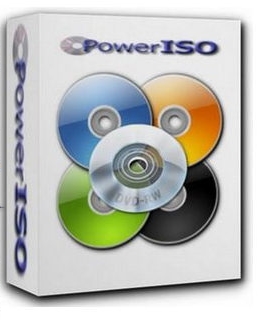
Power ISO 5.2


PowerISO 5.2

Create, edit, extract, convert, compress, encrypt, mount CD image file!!!
 PowerISO is a powerful image processing and file compression tool, which allows you to create, extract, compress, edit and convert ISO/BIN image files, and mount these files with internal virtual drive. And most of all, the compressed files can be used directly without decompressing.


• Support ISO, BIN, NRG, IMG, DAA, ...
 • Open, Create, Edit, Extract ISO File...
 • Compress, Encrypt, Split ISO File...
 • Integrated with internal Virtual Drive...

Main Features:
 - Support almost all CD/DVD-ROM image file formats (ISO, BIN, NRG, IMG, DAA and so on).
 Note: DAA (Direct-Access-Archive) is an advanced format for image file, which supports some advanced features, such as compression, password protection, and splitting to multiple volumes. It can be handled directly just like other formats, such as ISO, BIN, ...
 - Supports on-the-fly burning.
 - Supports UDF image file.
 - Create image file from hard disk files or CD/DVD-ROM.
 - Edit an existing image file.
 - Can edit and burn Audio CD image file.
 - Extract files and folders from image file.
 - Convert image files between ISO/BIN and other formats.
 - Make bootable image file, get boot information from bootable image file.
 - Make floppy disk image file.
 - Optimize files to save disk space while saving image files.
 - Mount image file with internal virtual drive. Even if the image file is saved as DAA format, the virtual drive can handle that format directly.
 - Support ****l integration, such as con**** menu, Drag and Drop, clipboard...
 - Supports command-line parameters.
 - Can open XBOX image file.
 - Supports multiple ********s
 - Supports Windows XP 64-bit Edition and Vista.

ОС: 
 - x86 Windows: Windows 98, Windows Me, Windows 2000, Windows XP, Windows 2003, Windows Vista, Windows 2008, Windows 7
 - x64 Windows: Windows XP, Windows 2003, Windows Vista, Windows 2008, Windows 7 
 
Password : mediafire-software4u
 

Sunday, June 10, 2012

Adobe Photoshop Lightroom Plugin Collection


The list of included plugins:

Allen.Gambrell.Plugins.for.Adobe.Lightroom.MULTIPATCH-MPT
alloyphoto.plugins.for.Adobe.Lightroom-MPT
John.Rellis.plugins.for.Adobe.Lightroom.incl.SERIAL-MPT
Lightroom-Plugins.com.MULTIKEYGEN-MPT
PeopleAnnotator.Suite.plugin.for.Adobe.Lightroom.KEYGEN-MPT

The detailed list of included plugins:

- Any File Lightroom Plugin
- Any Filter Lightroom Plugin
- Any Tag Lightroom Plugin
- AdoramaPix 1.14.3
- Costco (Canada) 2.5.4
- Costco Photo Center (USA) 2.5.1
- CVS Photo Center 1.7.1
- Dropbox 1.0.1 (BETA)
- Export List 2.3
- Gallery 3 1.4.1
- Lightroom Voyager 1.1.5
- MobileMe Gallery 1.24.6
- NextGEN Gallery Export 1.2.5
- PhotoBox 1.10.1
- Piwigo 1.7.0 (BETA)
- Walmart (USA) 1.3.0
- The PeopleAnnotator Suite includes the features below:
> Uses patent protected face detection algorithms from Fraunhofer IIS (creator of MP3).
> Automatically detects faces on images.
> Automatic detection of gender and moods of detected people.
> Automatic detection of portrait images.
> Easy integration into Adobe Photoshop Lightroom versions 2 and 3.
> Annotations are written directly into IPTC captions and thus may be easily reused in other systems.
> Annotations are written in your language (currently supported: English and German).
- ProSelect to Lr 1.1
- Audio Note 1.00
- LR2PhotoCart 1.21
- SoftProof
- Caption and Title Helper
- Windows 7 Theme Exporter
- Duplicate Finder
- Backup Cleaner

Installation:
 
-  Next open the rar file by double clicking it. If you can't open it you need to get an archiver which supports rar files such as Winrar and extract.

- All installation steps and essential info are included inside the file.

Password : mediafire-software4u


Internet Download Manager v6.11 Build 8 Incl Patch


What's new in version 6.11 build 8? (Released: Jun 07, 2012):

* Added support for Firefox 15 

Description:
Internet Download Manager (IDM) has a smart download logic accelerator that 
features intelligent dynamic file segmentation and safe multipart downloading 
technology to accelerate your downloads. IDM increases download speeds by up to 
5 times, resumes and schedules downloads. Comprehensive error recovery and resume 
capability will restart broken or interrupted downloads due to lost connections, 
network problems, computer shutdowns, or unexpected power outages. Simple graphic 
user interface makes IDM user friendly and easy to use. IDM has a smart download 
logic accelerator that features intelligent dynamic file segmentation and safe 
multipart downloading technology to accelerate your downloads. Unlike other 
download managers and accelerators, IDM segments downloaded files dynamically 
during download process and reuses available connections without additional 
connect and login stages to achieve best acceleration performance.

Main Features:
* Internet Download Manager supports all popular browsers including IE, AOL, MSN, 
 Opera, Firefox, Avant Browser, and it can be integrated into any Internet 
 application to take over downloads using unique Advanced Browser Integration
 feature.
* Dynamic Segmentation and Performance.
* Easy downloading with one click. When you click on a download link in a browser, 
 IDM will take over the download and accelerate it. IDM supports HTTP, FTP, HTTPS 
 and MMS protocols.
* Download Speed Acceleration. IDM can accelerate downloads by up to 5 times due 
 to its intelligent dynamic file segmentation technology.
* Download Resume. IDM will resume unfinished download from the place where they 
 left off.
* YouTube grabber. IDM can grab FLV videos from popular sites like YouTube, 
 MySpaceTV, and Google Video.
* Drag and Drop. You may simply drag and drop links to IDM, and drag and drop 
 downloaded files out of Internet Download Manager.
* Automatic Antivirus checking. Antivirus checking makes your downloads free 
 from viruses and trojans.
* Advanced Browser Integration. When enabled, the feature can be used to catch
 any download from any application.
* Built-in Scheduler. IDM can connect to the Internet at a set time, download 
 the files you want, disconnect, or shut down your computer when it's done.
* IDM includes web site spider and grabber. IDM downloads all required files 
 that are specified with filters from web sites, for example all pictures from
 a web site, or subsets of web sites, or complete web sites for offline 
 browsing. It's possible to schedule multiple grabber projects to run them once 
 at a specified time, stop them at a specified time, or run periodically to 
 synchronize changes.
* IDM supports many types of proxy servers. For example, IDM works with Microsoft
 ISA, and FTP proxy servers.
* IDM supports main authentication protocols: Basic, Negotiate, NTLM, and 
 Keberos. Thus IDM can access many Internet and proxy servers using login name 
 and password.
* Download All feature. IDM can add all downloads linked to the current page. 
 It's easy to download multiple files with this feature.
* Download Categories. IDM can be used to organize downloads automatically using 
 defined download categories.
* Download limits. Progressive downloading with quotas feature. The feature is 
 useful for connections that use some kind of fair access policy (or FAP) like 
 Direcway, Direct PC, Hughes, etc.
* IDM is multilingual.

*Install Notes*

1. Install Program. (Once installed, make sure to exit IDM)
2. Copy the patch to the install directory and apply it!
3. Enjoy!!!


Password  : mediafire-software4u

Mozilla FireFox 13 Final


Mozilla Firefox - faster, more secure, easier to use and sporting a new look, this latest Firefox release sets a new standard for web browser innovation. Mozilla Firefox project (formerly Firebird, which was formerly Phoenix) is a redesign of Mozilla's browser component, written using the XUL user interface language and designed to be cross-platform. It is small, fast and easy to use, and offers many advantages over other web browsers, such as the tabbed browsing and the ability to block pop-up windows. Firefox has the most ways to customize your online experience specifically for the way you use the web. There are more than 6,000 Add-ons (little extras that augment Firefox to meet your unique needs) just waiting out there to help you do more, have more fun and be more creative online. Firefox keeps your personal info personal and your online interests away from the bad guys . Simply put, your security is our top priority.
 
Password : mediafire-software4u


Share

Widgets